Facebook Pixel
RANA IT SOLUTIONS ← Back Home
← Back Home Home Products

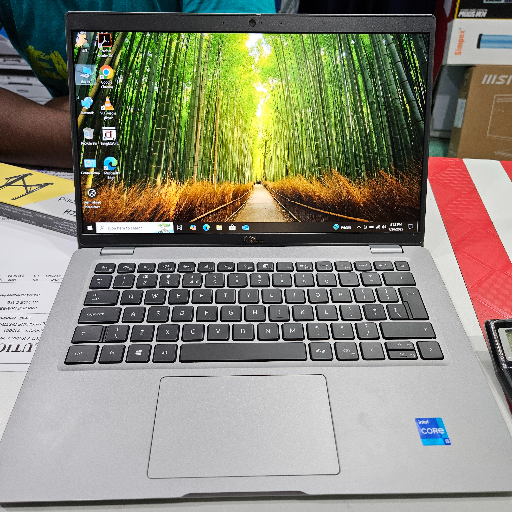
Laptop in Arambagh - i5 11th Gen

The laptop from RANA IT SOLUTIONS in Arambagh features an i5 11th generation processor, 16GB RAM, and a 256GB SSD, providing efficient performance for various computing needs.

Discover the powerful laptop featuring an i5 11th generation processor, 16GB RAM, and a 256GB SSD. Perfect for work and entertainment, this 14" display model is available at RANA IT SOLUTIONS in Arambagh. Experience speed and efficiency like never before.

RANA IT SOLUTIONS in Arambagh is the go-to choice for anyone searching for a laptop nearby. Located centrally, they offer a high-performance i5 laptop that meets the needs of local buyers looking for quality and reliability. With a strong reputation in the area, RANA IT SOLUTIONS is your best option for purchasing a laptop in Arambagh.

₹31,990

Product Details

The laptop from RANA IT SOLUTIONS in Arambagh is designed for performance and versatility, featuring an i5 11th generation processor, 16GB of RAM, and a 256GB SSD. This 14-inch display model is ideal for professionals and students alike, offering rapid processing and ample storage. With a sleek design, it is perfect for both work and leisure. Customers searching for a laptop near me will find this option to be a top choice in Arambagh, ensuring convenience and quality.

Features & Benefits

  • i5 11th generation for superior performance
  • 16GB RAM for multitasking capabilities
  • 256GB SSD for faster boot times
  • 14" display for portability
  • Sleek design for professional use

How to Use

To use the laptop, simply open the lid, press the power button, and boot up the operating system. Connect to Wi-Fi for internet access and install necessary software for your tasks. Always save your work before shutting down.

You can find a quality laptop at RANA IT SOLUTIONS in Arambagh, offering competitive prices and excellent service.

The laptop at RANA IT SOLUTIONS is priced at ₹31,990, making it an affordable option for powerful performance.

To set up the laptop, follow the on-screen instructions after powering it on, connect to Wi-Fi, and install any desired applications.

While the laptop is designed for productivity and general use, it may handle light gaming. For heavy gaming, consider a dedicated gaming laptop.